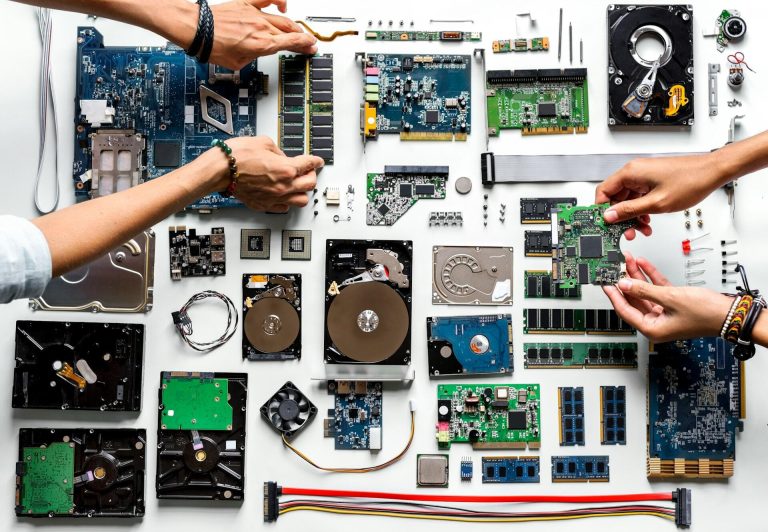
Learn what computer hardware is, how each component works, and why understanding your PC’s parts can improve performance and save money.
Understanding Computer Hardware: The Backbone of Every Computer
When people think about computers, they often focus on software, the apps, programs, and operating systems they use daily. But behind every smooth-running system lies the physical foundation known as computer hardware.
What Is Computer Hardware?
Computer hardware refers to the physical components of a computer that you can see and touch. These parts work together to process data, run programs, and store information.
Key hardware components include:
Central Processing Unit (CPU)
The CPU is the brain of the computer. It processes instructions, performs calculations, and controls how tasks are executed. A faster processor usually means quicker performance.
Random Access Memory (RAM)
RAM temporarily stores data your computer needs immediately. More RAM improves multitasking, allowing you to run multiple programs without slowing down.
Storage Drives (SSD vs HDD)
Storage devices hold your operating system, files, and applications.
SSD (Solid-State Drive): Faster, quieter, and more reliable
HDD (Hard Disk Drive): Cheaper with larger storage capacity
Many modern systems use SSDs for speed and HDDs for extra storage.
Motherboard
The motherboard connects all components, allowing them to communicate. It determines upgrade options and compatibility.
Power Supply Unit (PSU)
The PSU distributes electricity to every component, ensuring stable performance and system safety.
Why Understanding Hardware Matters
1. Knowing your computer hardware helps you:
2. Choose the right system when buying a PC
3. Upgrade components to improve speed
4. Troubleshoot performance issues
5. Extend the lifespan of your device
Whether you’re a student, professional, or casual user, understanding hardware gives you control over your technology.
Keywords: computer hardware, PC components, CPU, RAM, SSD vs HDD, motherboard, computer performance